

Most funnel mistakes are found by customers, not by sellers.
A decline link points at a page you replaced. An upsell connects to a product you swapped out months ago. You find out when the numbers look wrong, and by then you have already paid for the traffic.
The Funnel Builder has been updated so you can see the whole journey while you build it, instead of tracing it product by product and hoping.
What you actually get
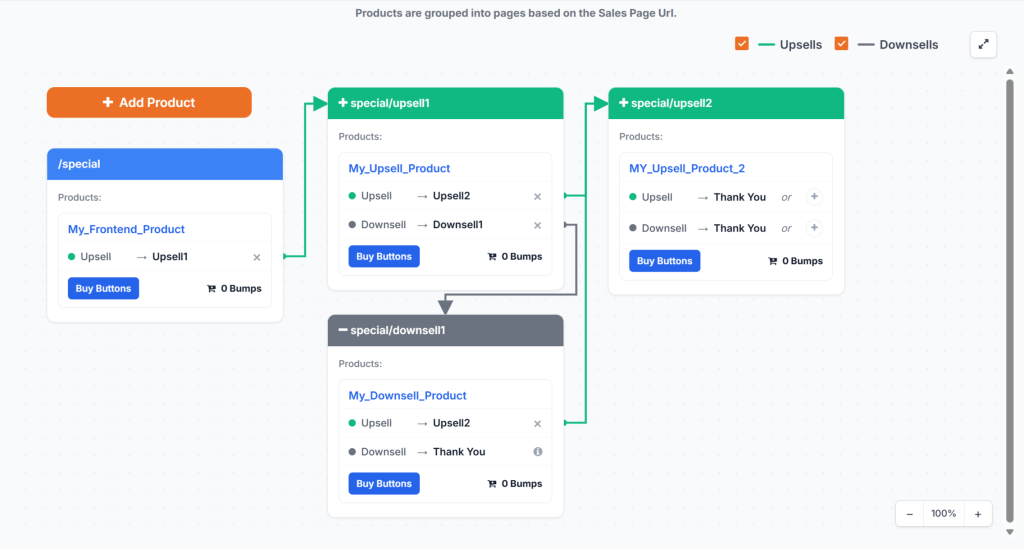
Visual connection lines. Products are grouped into pages based on the sales page URL, and lines show exactly which product leads to which. Upsell paths and downsell paths are drawn separately.
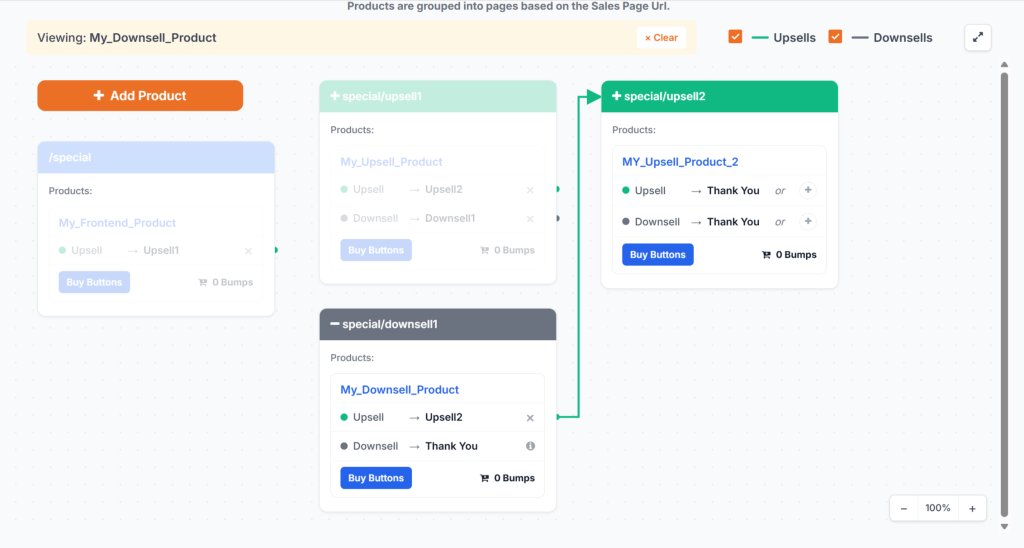
Journey highlighting. Click any product and the path from that point forward lights up. Everything else fades back, so you are looking at one route instead of the whole board.
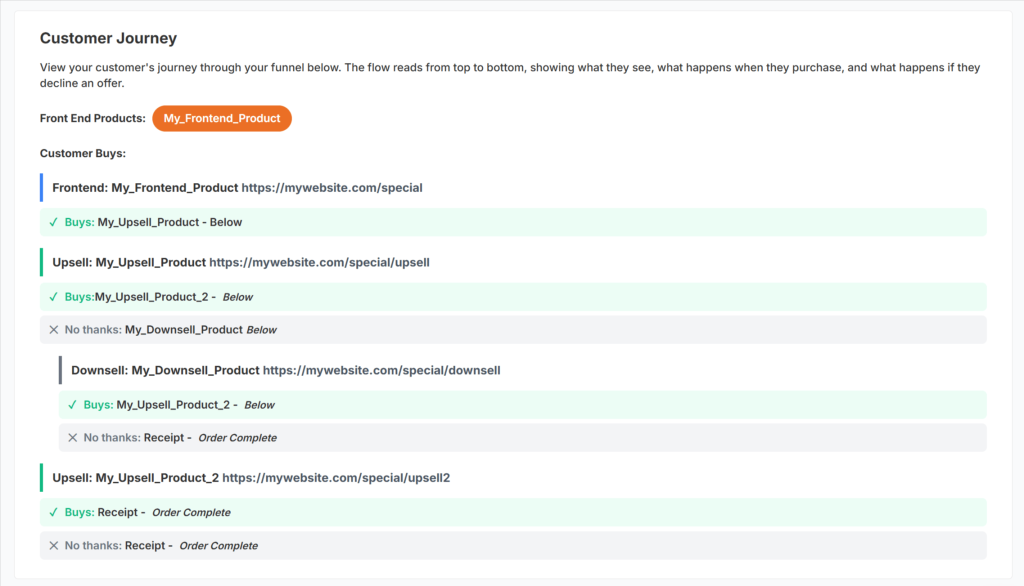
A Customer Journey panel. It reads top to bottom in plain text. What the customer sees, what happens when they buy, what happens when they decline, all the way to the receipt.
Path filters. Untick Upsells or Downsells when a funnel gets too busy to read.
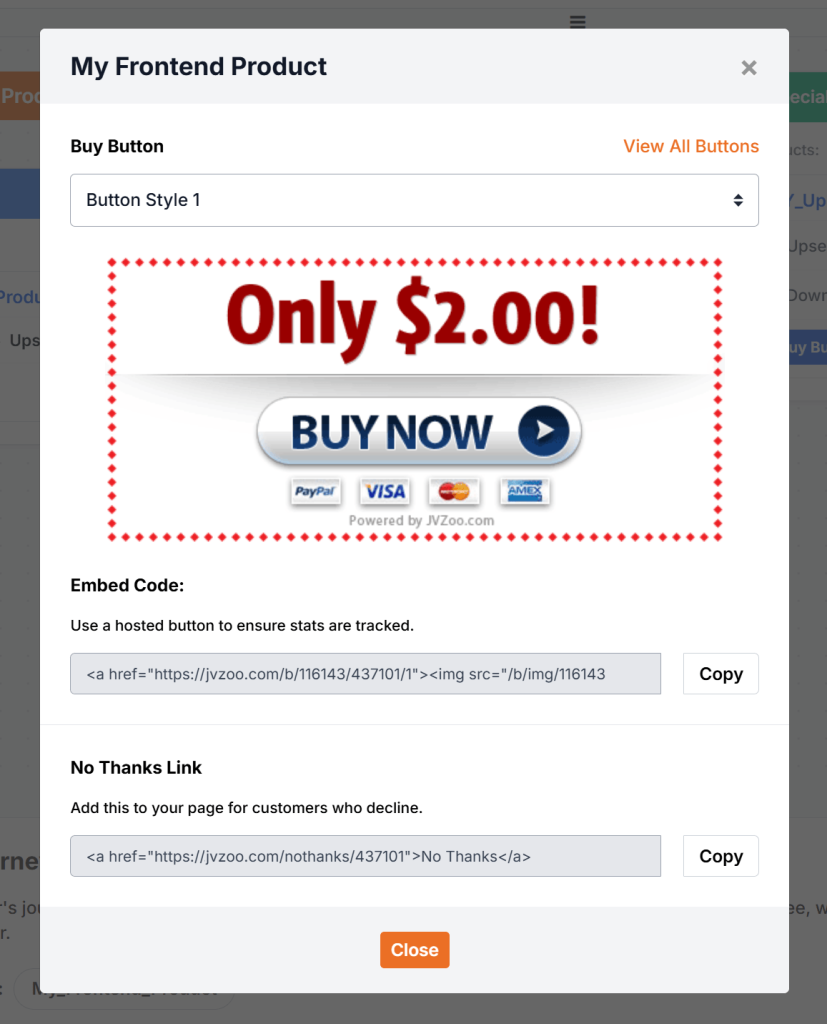
Buy Buttons inside the builder. Generate and copy your Buy Button embed code and your No Thanks link without leaving the page.
How to use it
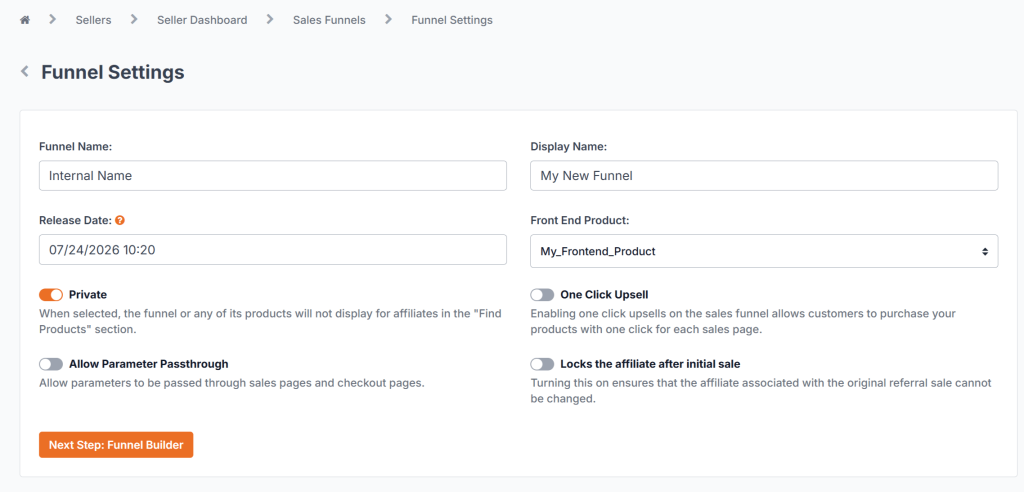
- Open Sales Funnels, pick your funnel, then click Next Step: Funnel Builder.
- Click Add Product and search for the product you want on the page.
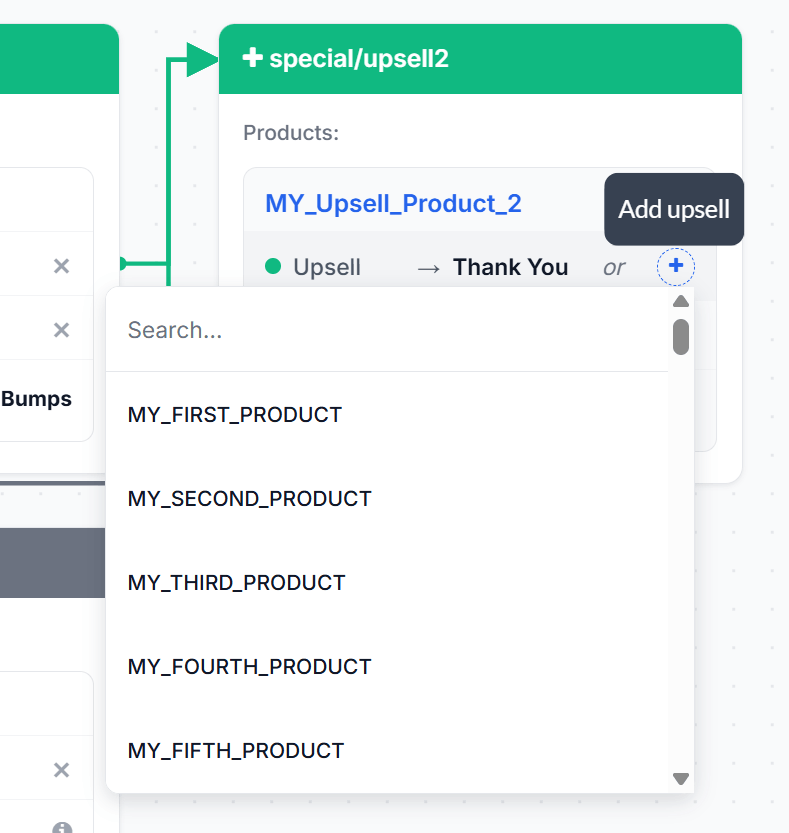
- Use the plus icon next to Upsell or Downsell to connect the next step.
- Click any product to highlight its journey, or untick Upsells and Downsells to filter the view.
- Click Buy Buttons on any product to copy the embed code and the No Thanks link.
One tip
Got a monster funnel? Hold CTRL and use the mouse wheel to zoom, press the mouse wheel down to pan, and review the whole thing in fullscreen.
What this actually unlocks
Reviewing a funnel used to mean tracing connections by hand, one product at a time. Now you click through it and watch the paths light up.
That matters most on funnels you built a while ago. Products get renamed. Pages get replaced. Nobody goes back to check whether the downsell still points where it did in March.
Open one you have not touched in months. Click each product. You will know in under a minute whether it still connects the way you think it does.
Where to find it
Log into JVZoo and go to Sales Funnels. Open any funnel, then click Next Step: Funnel Builder.
Full walkthrough: https://support.jvzoo.com/hc/en-us/articles/53490527751707-Creating-a-Sales-Funnel
Anything not behaving the way it should, JVZoosupport.com.
The JVZoo Team
