


The best affiliate platform for your digital product is the one that leaves you the most profit per sale and picks up when you need help. Before you list, check three things: total fees (not the headline rate), how and when affiliates get paid, and how fast support actually responds. Test that last one yourself.
Most sellers choose on headline fee or go wherever their friends sell. Neither tells you what you keep after every cost, or who shows up when a launch goes sideways. This guide shows you how to check both before you commit.
What decides whether a platform is profitable for you?
The headline fee is only one line on the bill. Your real cost per sale is every deduction between the buyer’s payment and your account.
Look at all of them together:
| Cost to check | Why it matters | Question to ask the platform |
|---|---|---|
| Platform fee per sale | Comes off every sale, forever | Is it a percentage, a flat fee, or both? |
| Setup and listing fees | Fixed costs cut into profit before you make a sale | Is there a setup fee, a per-product fee, or a cost to my affiliates? |
| Payment processing fee | Often charged separately from the platform fee | Who charges it, and how much? |
| Refund costs | Some fees are not returned when you refund | Which fees do I lose on a refund? |
| Chargeback fees | One dispute can wipe out several sales | What is the fee, and do you try to prevent chargebacks? |
| Affiliate payout speed | Fast-paying offers attract more affiliates | How fast are affiliates paid, and what decides it? |
How do you work out what you keep from each sale?
Use one simple formula: sale price − platform fee − processing fee − affiliate commission = what you keep.
- Start with your sale price.
- Subtract the platform fee (usually a percentage of the sale price).
- Subtract the payment processor’s fee.
- Subtract the affiliate’s commission.
- Repeat the math for your upsells, since that is where most launch profit lives.
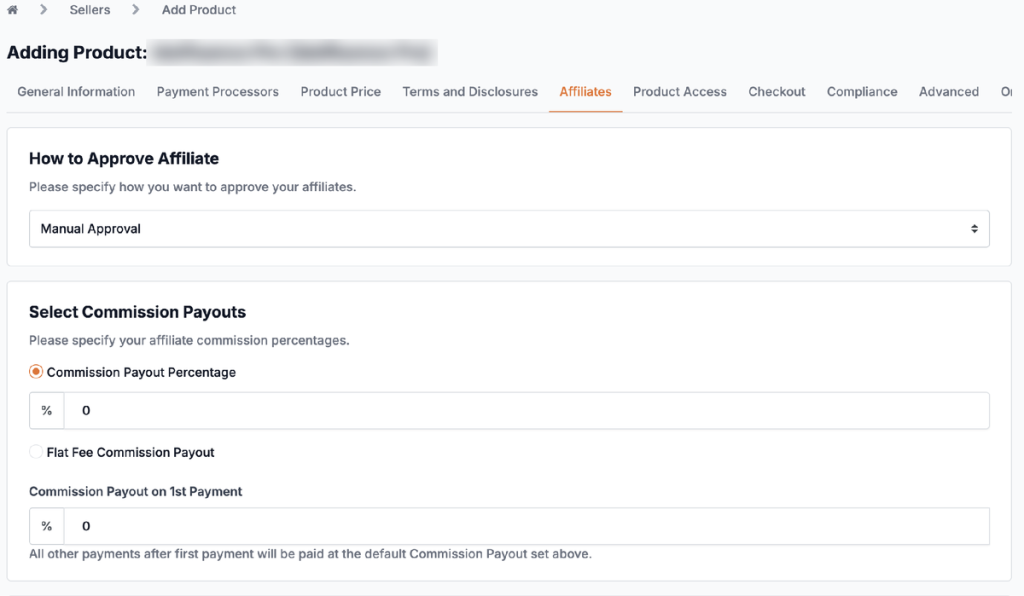
Worked example on JVZoo — a $47 product with a 50% affiliate commission, paid through PayPal:
| Line | Amount |
|---|---|
| Sale price | $47.00 |
| JVZoo fee (5%) | −$2.35 |
| Processing fees (3.5% + $1) | −$2.65 |
| Affiliate commission (50% of sale) | −$23.50 |
| You keep | $18.50 |
The affiliate’s commission is a percentage of the full sale price. One exception: on 100% commission offers, the seller’s fees come out first and the affiliate receives everything that remains.
How fast do you get paid as the seller?
Profit only helps you once it reaches your account. Ask every platform whether you are paid at the time of sale or whether your money is held for days or weeks first.
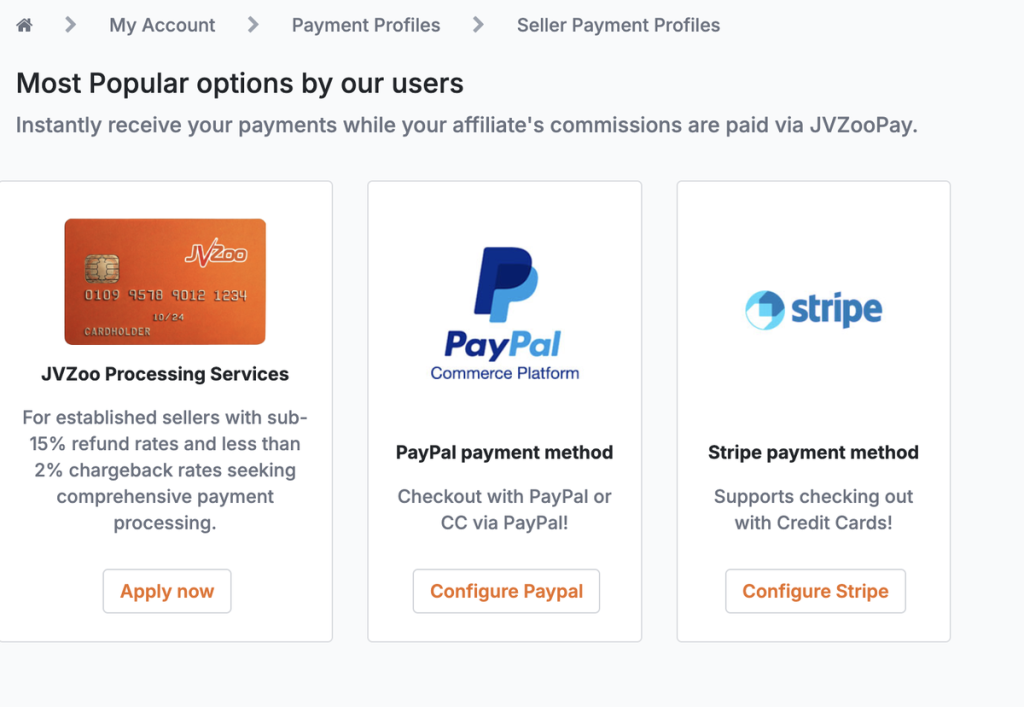
On JVZoo, sellers using PayPal Commerce Platform or Stripe receive their payments instantly, while affiliate commissions are paid separately through JVZooPay. Sellers approved for JVZoo Processing Services see their sales in their JVZooPay balance and withdraw them on their JVZooPay level’s release schedule.
Why does affiliate payout speed matter to you as the seller?
Affiliates choose what to promote, and many favor offers that pay them quickly. Faster payouts make your offer easier to recruit for, which means more traffic without more ad spend.
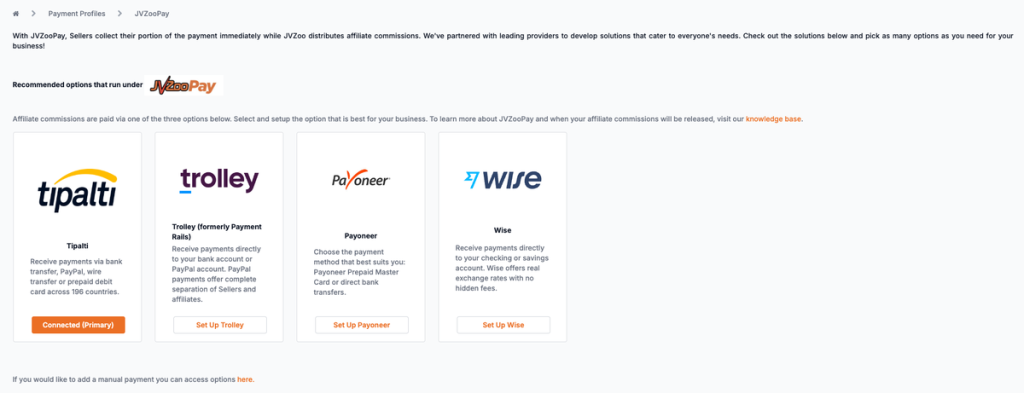
On JVZoo, sellers can pay affiliates automatically through JVZooPay, which sends commissions through Tipalti, Trolley, Payoneer or Wise, by bank transfer, PayPal, wire or prepaid card. How often an affiliate gets paid depends on their JVZooPay level, from every 21 days for newer accounts to every 3 days at the top level. Levels are based on account age, number of sales, refund rate and account health, and they update daily. That means affiliates who sell well with few refunds get paid sooner, which rewards the affiliates you most want promoting your product.
| JVZooPay level | Paid every | Main requirements |
|---|---|---|
| Diamond | 3 days | Premium Affiliate status, account active 1 year, 2,000+ affiliate sales, refund rate under 5% |
| Platinum | 5 days | Account active 9 months, 1,500+ affiliate sales, refund rate under 7% |
| Gold | 7 days | Account active 7 months, 500+ affiliate sales, refund rate under 9% |
| Silver | 14 days | Account active 6 months, 250+ affiliate sales, refund rate under 11%; 20% rolling reserve |
| Bronze | 21 days | Newer accounts that have passed JVZoo’s account review; 25% rolling reserve |
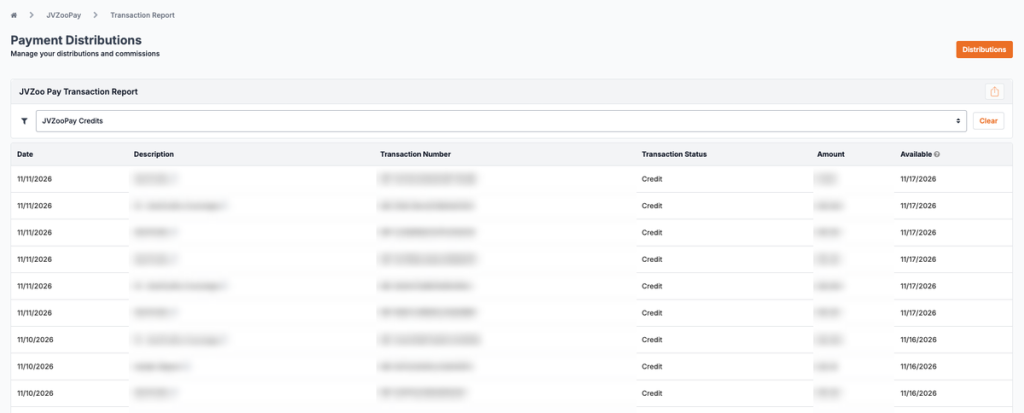
Payouts go out automatically once a day on business days, and every commission is released within 30 days. Affiliates can check the exact date each payment becomes available in their Transaction Reports.
New accounts start on probation: once they meet every JVZooPay requirement, they contact JVZoo Support to release their first payout.
How do you test a platform’s support before you commit?
Don’t take support claims on faith. Run this test before you list a product, and write down the timestamps.

- Search the Help Center for your three most likely setup questions. Note whether you found clear, current answers.
- Open a support ticket with a real pre-sale question. Record when you sent it and when a person (not an auto-reply) answered.
- Send a second question on a weekend to see whether support runs 7 days a week or only on business days.
- Ask a question that needs a human, such as how to connect your payment processor or get a product approved. Judge whether the answer solved it or just linked an article.
- Ask what onboarding looks like. Is setup self-serve, or is there hands-on help? Either can work. What matters is how fast you can get live and who answers when you’re stuck.
- Ask what happens during a launch emergency, like broken checkout links or missing commissions. Who do you contact, and how fast?
- Score each platform with the table below.
| Test | What good looks like | Red flag |
|---|---|---|
| First human reply | Within about a day, weekends included | Only auto-replies, or silence until Monday |
| Answer quality | Solves your exact problem | Generic article link with no follow-up |
| Channels | Ticket support plus a searchable Help Center | One channel only |
| Onboarding | Clear setup guides, plus a person to contact when you get stuck | You’re on your own after signup |
| Launch support | A known contact or escalation path | No answer to “who do I call?” |
What should onboarding look like for a new seller?
Good onboarding gets your first product live without guesswork. Look for a clear path from signup to your first sale, Help Center guides that match what you see on screen, and a person to contact when something doesn’t work.
Some platforms offer white-glove onboarding, where a dedicated contact walks you through setup. Others are self-serve: you set things up yourself and reach out only if you get stuck. Decide which you need before you compare, and test how quickly a real person answers when you do get stuck.
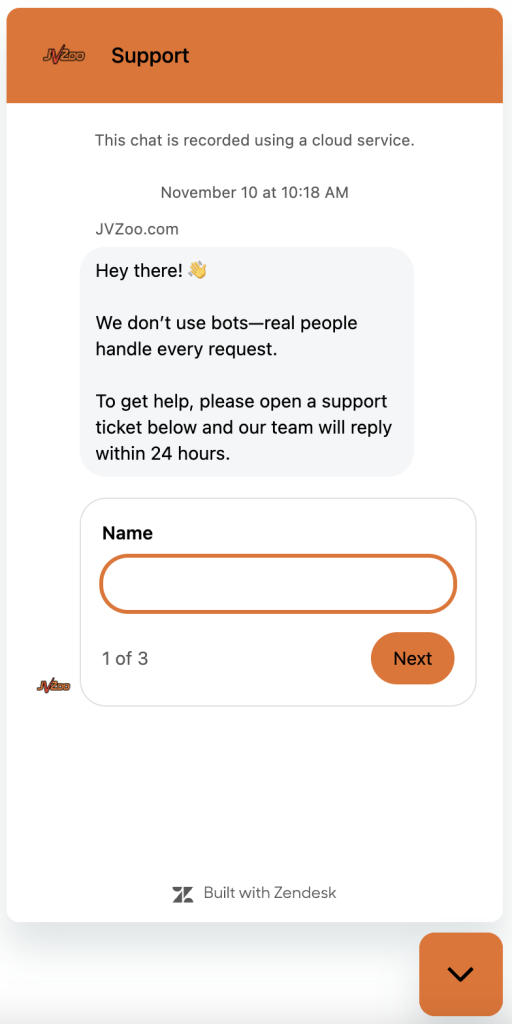
On JVZoo, setup is self-serve. You create your account, add your product and connect your payment processor using the Help Center guides. If you run into an issue, you submit a support ticket, and a team member typically replies within 24 hours, 7 days a week.
How does JVZoo do on these tests?
Here is how JVZoo answers the questions in this guide:
- Fees: 5% per completed sale, with no setup fee, unlimited products and no charges to affiliates. Payment processor fees are separate.
- Affiliate payouts: Automated through JVZooPay, paid every 3 to 21 days depending on the affiliate’s level, with a $50 minimum withdrawal.
- Seller payments: Sellers using PayPal Commerce Platform or Stripe receive their payments instantly, while affiliate commissions are paid through JVZooPay.
- Refunds and chargebacks: JVZoo Processing Services is available by application to established sellers with refund rates under 15% and chargeback rates under 2%. On those sales, the 3.5% + $1 processing fee is not returned on refunds, and pass-through costs such as cross-border fees may also be deducted. Chargebacks carry a $49 fee from the payment processor, so when JVZoo gets an early chargeback alert, it may refund the order first and charge a reduced $23 prevention fee instead.
- Support channels: Online customer service and ticket support, available 7 days a week, plus a searchable Help Center. JVZoo does not offer phone support.
- First response time: Real people, not bots, handle every request, and a team member typically replies within 24 hours.
- Onboarding: Self-serve setup using Help Center guides, with ticket support if you run into an issue.
The best test is still your own. Send us a pre-sale question and time the reply.
Frequently asked questions
What fees does JVZoo charge sellers?
JVZoo charges 5% per completed sale, with no setup fee, no limit on products and no charge to your affiliates. Payment processor fees are separate. Sellers approved for JVZoo Processing Services may also pay standard processing fees, plus some non-refundable pass-through and chargeback-related fees.
How fast do affiliates get paid on JVZoo?
JVZooPay pays affiliates on a schedule set by their level, from every 21 days at Bronze to every 3 days at Diamond. Levels are based on account age, sales, refund rate and account health. Before withdrawing, affiliates need completed tax forms, KYC verification, a Tipalti, Trolley, Payoneer or Wise account, and at least $50.
How fast do I get paid as a seller on JVZoo?
With PayPal Commerce Platform or Stripe, you receive your payments instantly, and affiliate commissions are paid separately through JVZooPay. If you use JVZoo Processing Services, your sales go to your JVZooPay balance and are released on your JVZooPay level’s schedule.
How quickly should affiliate platform support respond?
Expect a reply from a real person within a day, including on weekends. Test it before you list by sending a pre-sale question and timing the answer. At JVZoo, a team member typically replies within 24 hours, and ticket support runs 7 days a week.
Do I need white-glove onboarding?
Not for a simple first product. For a large launch with many affiliates and upsells, hands-on help can save sales and stress. On JVZoo, sellers doing over $250K a year can get Done-For-You onboarding with dedicated support, and any seller can request Concierge Services through a form on jvzoo.com.
What happens to fees when I issue a refund?
It depends on the platform. On JVZoo Processing Services, the 3.5% + $1 processing fee is not returned when you refund a sale, and pass-through costs such as cross-border fees may also be deducted. Check this before you choose a platform, since refunds add up quickly.
